Loading...
Back to Blog
Back to Blog Dan Malone
Live Notifications in Home Assistant: The YAML That Got 760 Upvotes
Dan MaloneMarch 12, 2026
10 min read
Share this article
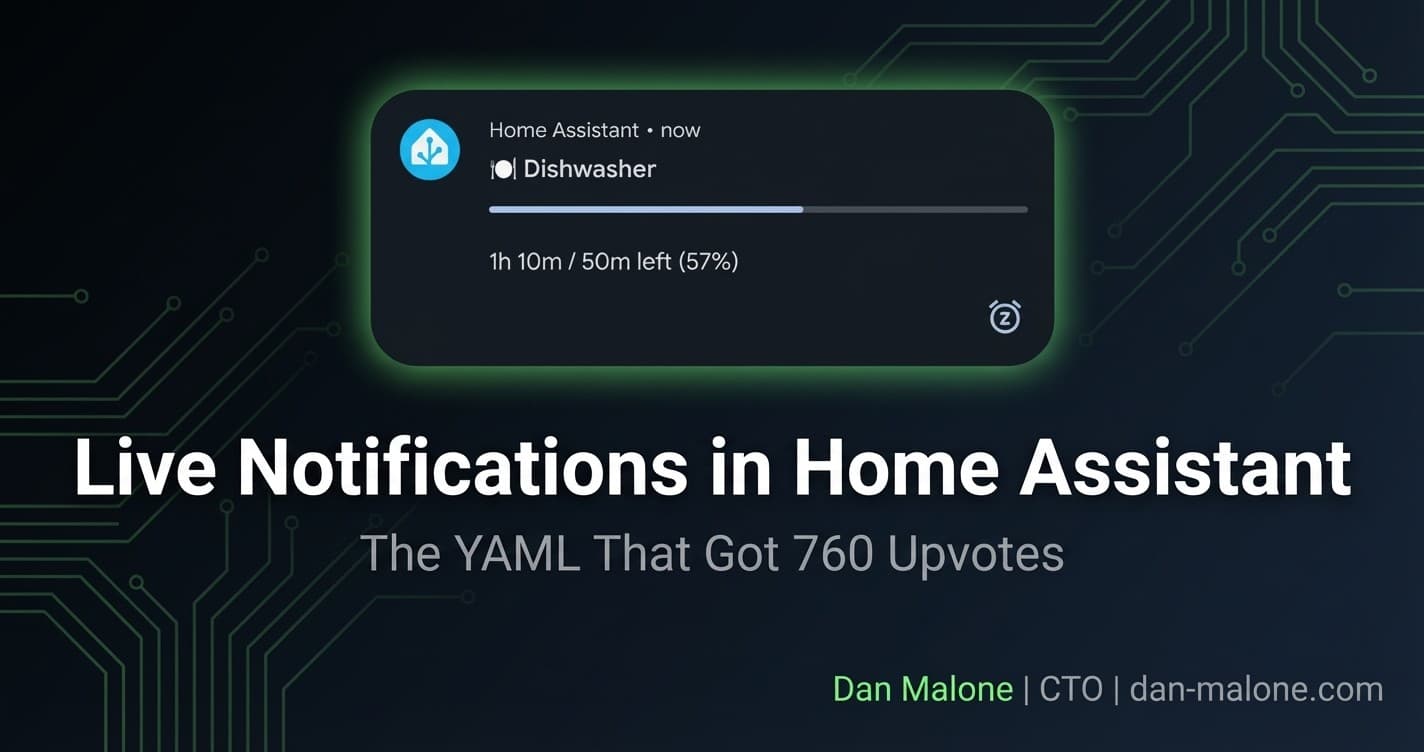
I posted a screenshot of my dishwasher notification on r/homeassistant and went to bed. Woke up to 760 upvotes, 147 comments, and a minor war about whether using AI to write Home Assistant configs makes you lazy or efficient.
The notification itself? Dead simple. A live-updating progress bar on Android showing how long your dishwasher has left. No smart appliances. Just a €15 smart plug and some YAML.
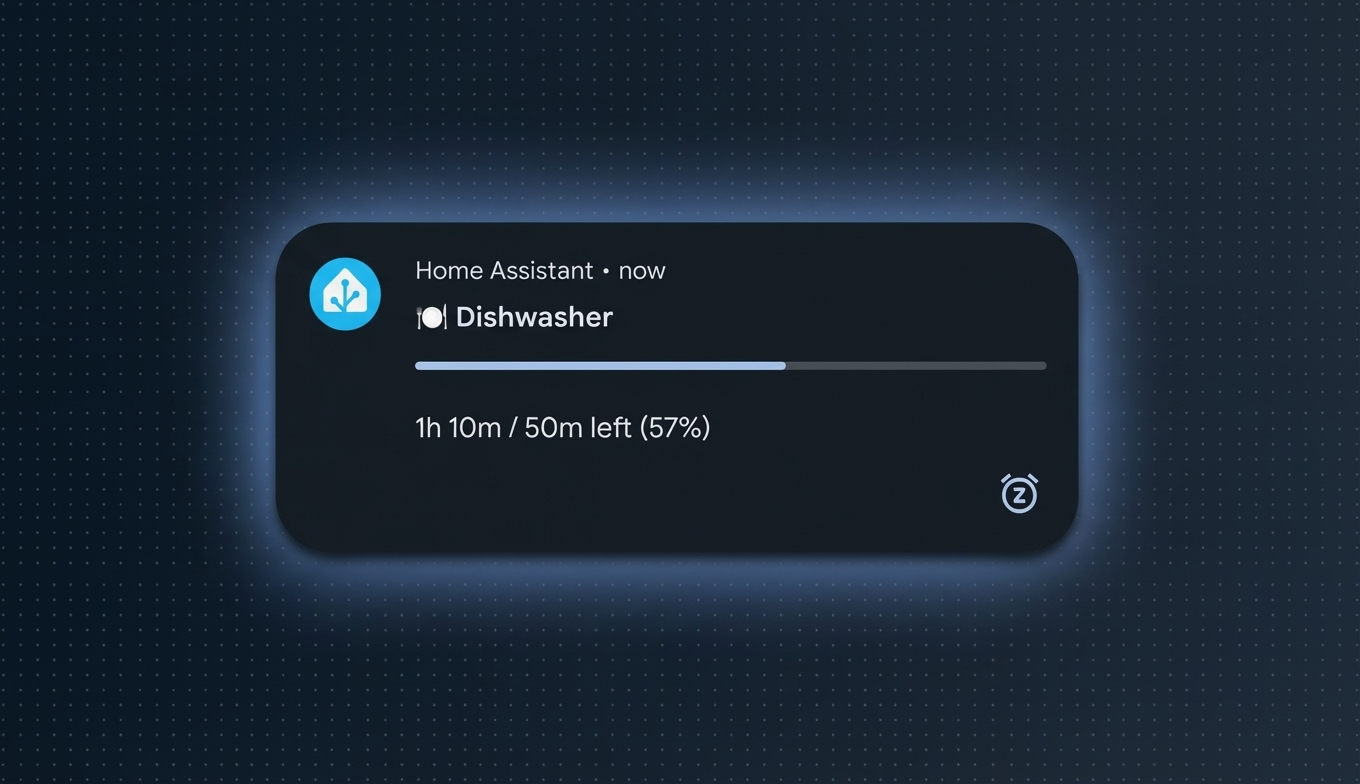
Here's everything you need to build it.
What Are Live Notifications?
Android has this feature where notifications can update in-place — sort of like iOS Live Activities, but for notifications. You get a persistent card on your lock screen that refreshes its content without buzzing you every time.
Home Assistant's Companion app supports this. You send a notification with aprogress value, a progress_max, and a couple of flags — and Android renders it as a live progress bar.
The trick isn't the notification itself. It's figuring out when your appliance is running, how long it'll take, and updating the notification every minute without your phone screaming at you 90 times per cycle.
The Setup
I'm not monitoring smart appliances. I'm monitoring dumb appliances with smart plugs.
The approach:
| Component | What It Does |
|---|---|
| Smart plug with energy monitoring | Measures power draw (watts) |
| Binary sensor template | Maps power states: high = running, low after high = finished |
| Timer or timestamp helper | Tracks when the cycle started |
| Automation | Sends and updates the notification every minute |
How Cycle Detection Works
The logic is straightforward:
- Power goes above threshold (e.g., >10W) → appliance is running, record start time
- Power stays above threshold → still running, keep updating
- Power drops below threshold (e.g., <5W) for a sustained period → cycle finished
I hardcode the average cycle time per appliance and round to the nearest 10 minutes. It's not perfect, but it's close enough. My dishwasher runs about 120 minutes. The washing machine is around 90. Tumble dryer varies more, but 60 minutes covers most loads.
Tip
Don't overthink the cycle time accuracy. Round to the nearest 10 minutes and move on. Nobody needs their dishwasher ETA down to the second.
The Core YAML
Here's the notification payload — the bit everyone was actually after:
service: notify.mobile_app_dans_phone
data:
  tag: dishwasher_cycle
  title: "🍽️ Dishwasher"
  message: "Remaining: {{ remaining_display }}"
  data:
    alert_once: true
    tag: dishwasher_cycle
    group: "appliances"
    progress: "{{ progress }}"
    progress_max: "{{ cycle_seconds }}"
Let me break down the important fields:
| Field | What It Does | Why It Matters |
|---|---|---|
tag | Unique ID for this notification | Updates in-place instead of creating new notifications |
alert_once: true | Only sounds/vibrates on the first notification | This is the key detail. Without it, every progress update plays a sound. |
group | Android notification group | Collapses related notifications together |
progress | Current progress value (seconds elapsed) | Renders the progress bar |
progress_max | Total expected duration (seconds) | Sets the 100% mark for the bar |
Warning
The alert_once flag is everything. The top comment on the Reddit thread (243 upvotes) was specifically about this. Without it, your phone buzzes every single time the progress updates. For a 2-hour dishwasher cycle updating every minute, that's 120 notification sounds. Your household will hate you.
Appliance Tracking Automation
Here's a full automation for tracking a washing machine cycle:
alias: "[House][Auto] Washing machine cycle notification"
description: >-
  Monitors power draw to detect wash cycles.
  Sends a live progress notification with remaining time.
triggers:
  - trigger: numeric_state
    entity_id: sensor.washing_machine_plug_power
    above: 10
    for:
      minutes: 1
    id: cycle_start
  - trigger: numeric_state
    entity_id: sensor.washing_machine_plug_power
    below: 5
    for:
      minutes: 3
    id: cycle_end

actions:
  - choose:
      - conditions:
          - condition: trigger
            id: cycle_start
        sequence:
          - action: input_datetime.set_datetime
            target:
              entity_id: input_datetime.washing_machine_start
            data:
              datetime: "{{ now().strftime('%Y-%m-%d %H:%M:%S') }}"
          - repeat:
              while:
                - condition: numeric_state
                  entity_id: sensor.washing_machine_plug_power
                  above: 5
              sequence:
                - variables:
                    cycle_seconds: 5400  # 90 minutes in seconds
                    start_time: "{{ states('input_datetime.washing_machine_start') }}"
                    elapsed: >-
                      {{ (now() - strptime(start_time, '%Y-%m-%d %H:%M:%S')).total_seconds() | int }}
                    remaining: "{{ [cycle_seconds - elapsed, 0] | max }}"
                    remaining_display: >-
                      {{ (remaining / 60) | int }} min
                    progress: "{{ [elapsed, cycle_seconds] | min }}"
                - action: notify.mobile_app_dans_phone
                  data:
                    title: "🧺 Washing Machine"
                    message: "Remaining: {{ remaining_display }}"
                    data:
                      tag: washer_cycle
                      alert_once: true
                      group: "appliances"
                      progress: "{{ progress }}"
                      progress_max: "{{ cycle_seconds }}"
                - delay:
                    minutes: 1

      - conditions:
          - condition: trigger
            id: cycle_end
        sequence:
          - action: notify.mobile_app_dans_phone
            data:
              title: "🧺 Washing Machine"
              message: "Cycle complete!"
              data:
                tag: washer_cycle
                alert_once: false
                group: "appliances"
          - delay:
              minutes: 10
          - action: notify.mobile_app_dans_phone
            data:
              message: clear_notification
              data:
                tag: washer_cycle
The same pattern works for dishwashers and dryers — just change the entity IDs, cycle duration, and emoji.
Tip
For the "cycle complete" notification, I set
alert_once: false so it actually makes a sound. You want to know when the washing's done. Then after 10 minutes, it auto-dismisses.Door Notifications
This one's a different pattern — no progress bar, just a persistent notification showing how long a door has been open.
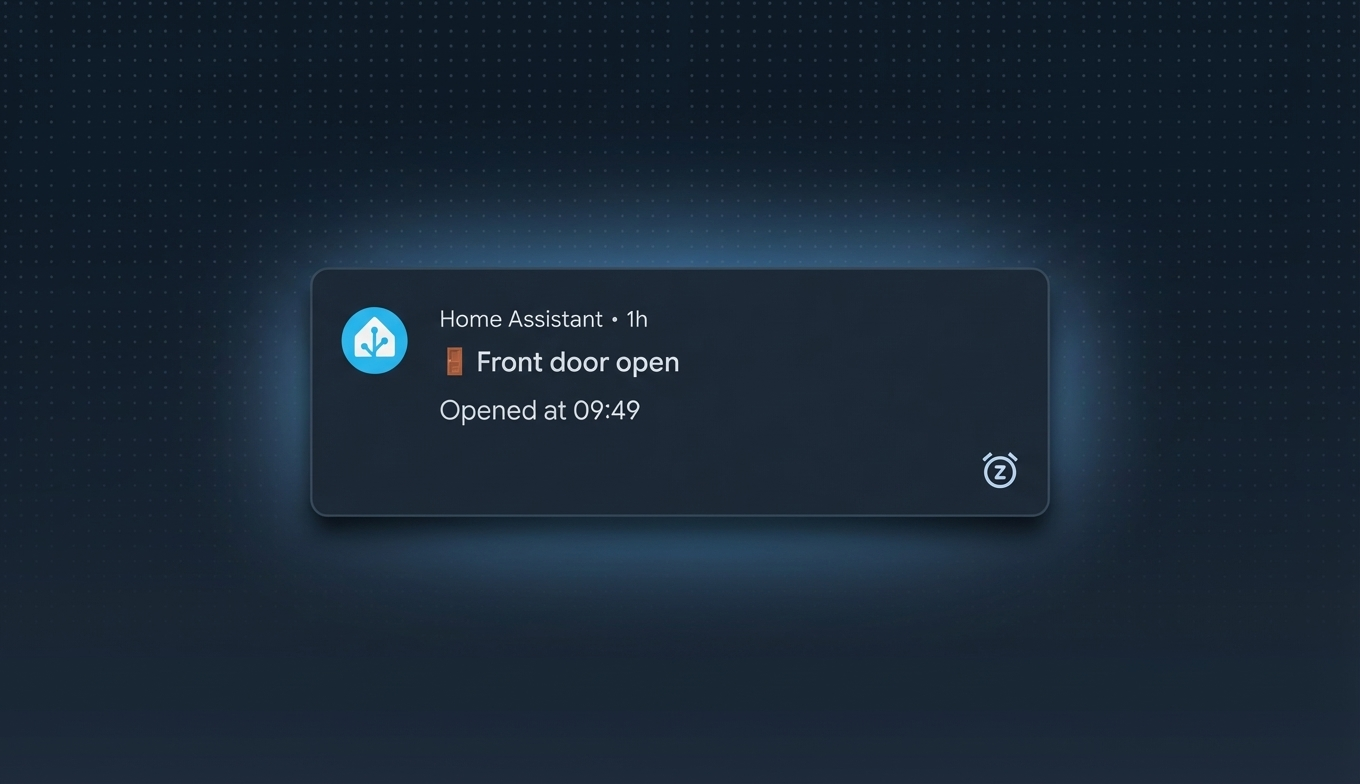
alias: "[House][Auto] Door open persistent notification"
description: >-
  Live notification when doors open with elapsed time.
  Auto-dismissed on close.
triggers:
  - entity_id: binary_sensor.kitchen_contact_back_door_contact_sensor_contact
    to: "on"
    id: back_open
    trigger: state
  - entity_id: binary_sensor.kitchen_contact_back_door_contact_sensor_contact
    to: "off"
    id: back_close
    trigger: state
  - entity_id: binary_sensor.front_door_contact_sensor_contact
    to: "on"
    id: front_open
    trigger: state
  - entity_id: binary_sensor.front_door_contact_sensor_contact
    to: "off"
    id: front_close
    trigger: state

actions:
  - choose:
      - conditions:
          - condition: trigger
            id: back_open
        sequence:
          - action: notify.mobile_app_dans_phone
            data:
              title: "🚪 Back Door"
              message: >-
                Opened at {{ now().strftime('%H:%M') }}
              data:
                tag: back_door_status
                alert_once: true
                group: "doors"
                persistent: true
                sticky: true

      - conditions:
          - condition: trigger
            id: back_close
        sequence:
          - action: notify.mobile_app_dans_phone
            data:
              message: clear_notification
              data:
                tag: back_door_status

      - conditions:
          - condition: trigger
            id: front_open
        sequence:
          - action: notify.mobile_app_dans_phone
            data:
              title: "🚪 Front Door"
              message: >-
                Opened at {{ now().strftime('%H:%M') }}
              data:
                tag: front_door_status
                alert_once: true
                group: "doors"
                persistent: true
                sticky: true

      - conditions:
          - condition: trigger
            id: front_close
        sequence:
          - action: notify.mobile_app_dans_phone
            data:
              message: clear_notification
              data:
                tag: front_door_status
Door opens → persistent notification with the time it opened. Door closes → notification auto-dismissed. Super simple.
Notification Groups
One thing that makes this actually usable day-to-day is Android notification grouping. Without it, you'd have individual notifications for every appliance and every door cluttering your shade.
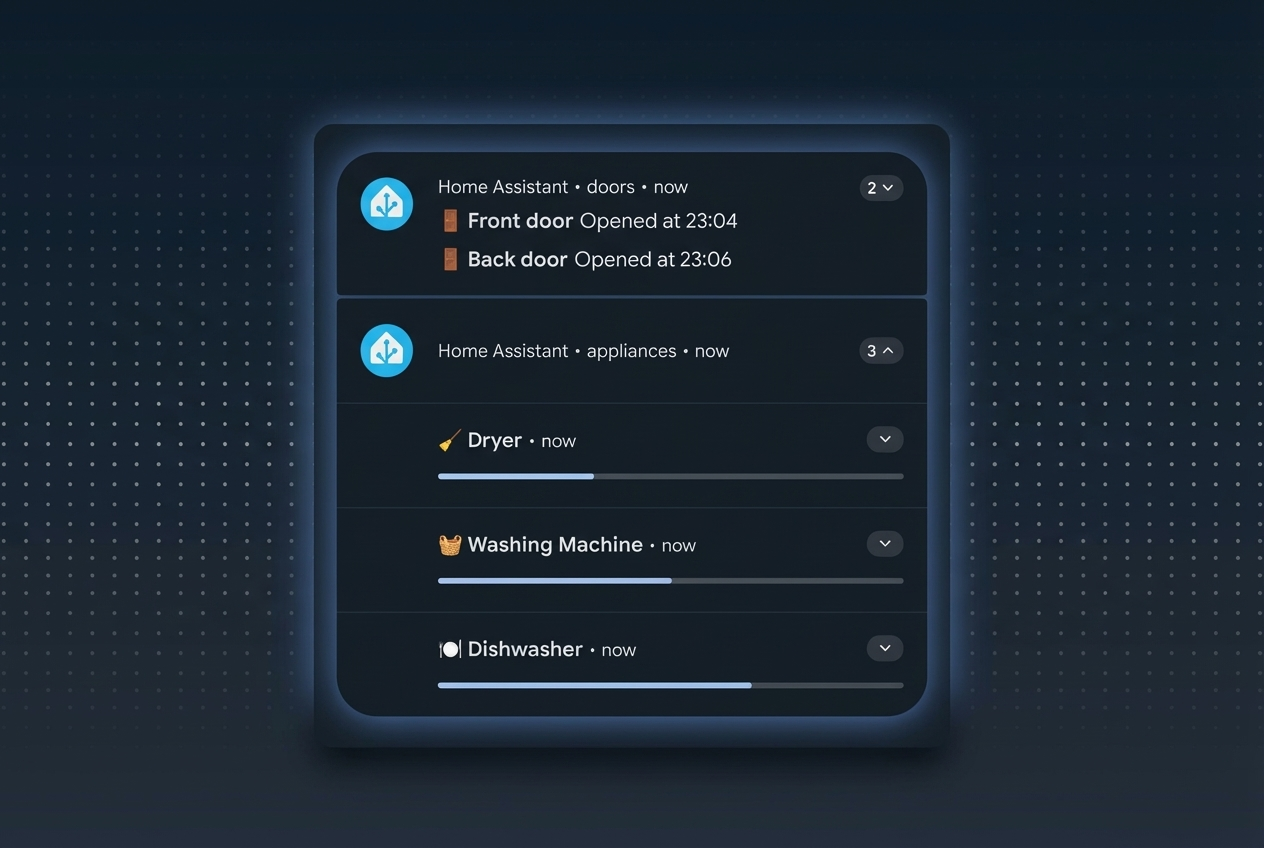
I use three groups:
| Group | Emoji | Contains |
|---|---|---|
appliances | 🍽️🧺🧹 | Dishwasher, washing machine, tumble dryer |
doors | 🚪 | Front door, back door |
heating | 🔥 | Boiler on/off alerts |
The live_update Gotcha
Here's something I learned the hard way: live_update: true marks a notification as "ongoing" in Android. Ongoing notifications are pinned — they sit at the top of your notification shade and cannot be grouped.
So if you use live_update: true on your appliance notifications, each one floats independently. No grouping. Your notification shade turns into a mess.
Warning
Don't use live_update: true if you want notification grouping. Use alert_once: true + tag instead. You get the same silent in-place updating behavior, but Android still groups them properly.
The alert_once + tag combo gives you:
- Silent updates (no repeated sounds)
- In-place content replacement (same tag = same notification)
- Proper grouping (not pinned as "ongoing")
It's the better approach for most use cases.
Gotchas & Tips
| Issue | Detail | Fix |
|---|---|---|
| 500 notification limit | Google and Apple cap push notifications at ~500/day per device | Enable persistent connection (see below) |
| Battery drain | Persistent connection uses websockets | ~1% battery impact on home network — negligible |
| iOS support | Live notifications/progress bars are not supported on iOS yet | No workaround. Android only for now. |
live_update breaks grouping | Ongoing/pinned notifications can't be grouped by Android | Use alert_once: true + tag instead |
| Cycle time accuracy | Hardcoded durations won't match every load | Round to nearest 10 min. Good enough. |
| Multiple phones | Each phone needs its own notify.mobile_app_* service | Create a notification group in HA, or duplicate the notify calls |
The Persistent Connection Fix
This is super important if you're updating notifications every minute. The 500/day push notification limit is per-device via Google's FCM (Firebase Cloud Messaging). A dishwasher cycle alone could eat 120 of those.
The fix:
persistent connection on your home network. This uses a direct websocket to your HA instance instead of going through Google's push servers. No limit. About 1% battery impact.
To enable:
- Open the Companion app
- Go to Settings → your home server
- Find "Persistent connection"
- Set to "On home network only"
That's it. When you're home (which is when most of these notifications matter), all updates go over the local websocket. The 500 limit only applies when you're away from home and updates go through FCM.
The OpenClaw Angle
I'll be honest — this is where the Reddit thread got spicy.
I mentioned that I asked my "claw" (OpenClaw — an AI agent system running Claude) to make my notifications live. Went from idea to deployed in about 5 minutes. OpenClaw uses git as the source of truth for all my HA configs, so the agent made the changes, committed them, and HA picked them up.
Some people loved it. Some people thought it was pointless to use AI for "simple YAML." Both camps have a point, if you get me.
The reality is: I didn't know about alert_once, progress, or progress_max before I asked the claw. I knew what I wanted — a notification that updates without buzzing me — but I didn't know Home Assistant's specific notification payload supported it. The AI did.
That's the pattern I keep coming back to. You describe the behavior you want. The agent finds the API surface. You review the output and deploy it. It's not about being lazy — it's about not spending 45 minutes reading notification docs when you could spend 5 minutes reviewing generated YAML.
I wrote more about this workflow in my OpenClaw + Home Assistant post. If you're curious about how the agent system works, there's also the HA AI patterns series.
One user in the thread did something similar with GitHub Actions + Claude Code over Tailscale — sort of a "claw-lite" setup. Different approach, same idea: let the AI handle the HA config surface area.
Community Discoveries
A few things came out of the Reddit thread that are worth flagging:
- WashData — A HACS integration specifically for tracking "dumb" appliance cycles via power monitoring. If you want something more polished than hand-rolled YAML, this is worth a look.
- Notification sounds per group — You can set different notification sounds for each group in Android's system settings. So your door alerts can chime differently from appliance updates.
- Timer-based progress — Some people use HA timers instead of timestamp helpers for the progress tracking. Both work. I prefer timestamps because they survive HA restarts.
The bottom line: Smart plugs + power monitoring +
alert_once: true + tag = live updating notifications on Android for any dumb appliance. No cloud. No smart appliance tax. Just YAML and a €15 plug. The full configs are above — copy, adapt the entity IDs and cycle times, and you're grand.Explore the Full Code
Star the repo to stay updated
Let's Connect
Follow for more smart home content
Follow on Twitter/X
@danmalone_mawla
Tags
home-assistant
notifications
android
openclaw
smart-home

Related Articles
Continue reading similar content

OpenClaw Gave My Home Assistant an AI Agent with Opinions (and a Raccoon Persona)
The Verge mentioned my automation-suggestions repo. But that was just the appetizer. Here's what happens when you give Claude a persistent identity, a voice, and control of your smart home.
12 min read

A Client Website Built Over WhatsApp: Jamie Skelton, Magician and Mentalist
Jamie Skelton is a Dublin wedding and corporate magician. His new site went from a Wix site to a live Next.js site in about 25 hours. Jamie never opened a ticket or a design file. He sent WhatsApp messages, and AI agents read them and made the changes.
6 min read

AI Agents Built My Game in Godot, Then Ported It to Unity. Here's What I Learned
I'm building Crush Depth, a deep-sea salvage game, and AI agents write all of the code. It started in Godot 4.7, and this week the full port to Unity 6.7 got under way. Here's how I picked the engine, the numbers behind the call, and what made the agents useful.
7 min read