Loading...
Back to Blog
Back to Blog Dan Malone
Using Claude Code to Fix 3 Years of Home Assistant Tech Debt (Part 2)
Dan MaloneJanuary 21, 2026
15 min read
View Source Code
github.com/Danm72/ha-dashboard-2026
Connect on LinkedIn
in/d-malone
Follow on Twitter/X
@danmalone_mawla
Share this article
Using Claude Code to Fix 3 Years of Home Assistant Tech Debt (Part 2)
What actually happened when I tried to implement the plan from Part 1 ← Read first: Part 1: How I Used AI to Audit 3 Years of Smart Home Tech DebtSo, I wrote a post earlier this week about using Claude to audit my Home Assistant setup. That one described a plan. This one? This is what actually happened when I sat down to do the work. Some things sorta fell apart. But honestly? The stuff that did work has been deadly.
The YAML Anchors Decision (Or: I Massively Overcomplicated This)
Right, so the original post described this whole custom Python preprocessor thing. ${NOTIFY_DAN} tokens, $ACTION{notify_both_critical} block expansion. It was gonna be this elegant build system that would marshall multiple YAML files into one clean output.
I spent a solid afternoon designing the bloody thing before Claude asked me: "Have you considered just using native YAML anchors with HA packages?"
I had not. Obviously.
Turns out Home Assistant already supports !include_dir_merge_list for splitting automations across directories, and YAML anchors work grand in packages for reusable patterns:
# packages/notify_anchors.yaml
notify_dan_anchor: ¬ify_dan
service: notify.mobile_app_pixel_10_pro_xl
notify_liv_anchor: ¬ify_liv
service: notify.mobile_app_pixel_9aThen in any automation:
action:
  - <<: *notify_liv
    data:
      title: "Dishwasher"
      message: "Finished!"
No build step. No custom syntax. Just native HA features I'd been ignoring for three years like an eejit.
The Systematic Approach: PRD to TDD
Before I wrote a single line of YAML, I did something I almost never do for personal projects: I created a Product Requirements Document.
Yeah, I know. Bear with me.
Why I Created a PRD First
The problem statement was embarrassingly simple:
- Configuration done through clunky mobile app UI
- Automations that were a nightmare to maintain
- Devices cluttering everything that I hadn't used in years
And the goals:
- Safe testing: Stop breaking production every time I experiment
- AI-assisted management: Let Claude actually help instead of just write blog posts about helping
- Tech debt cleanup: Face the mess I'd been avoiding
- Version control: Stop losing changes because I clicked the wrong button
The Production Audit Findings
Here's where it got a bit uncomfortable. Claude (with ha-mcp) did a proper audit of my actual Home Assistant installation.
The highlights, if you can call them that:
- 47 automations crammed into a single 2,312-line file
- Duplicate automations everywhere: Dan Presence (3 copies!), Dishwasher (2 copies)
- One automation was 636 lines: The kitchen blinds. Six hundred and thirty six lines.
- 87 repair issues just sitting there in the repairs registry
- notify.mobile_app_pixel_6a referenced 31+ times - a phone that's been in a drawer since 2022
But the floor/area registry was the real kicker. Home Assistant had 22 areas defined but only 1 floor. 21 of those areas had floor_id: null. The spatial model that makes dashboards actually useful? Completely broken.
Priority-Driven Planning
| Priority | Focus | Why It Matters |
|---|---|---|
| P1 | Automation Hygiene | Split the 2,312-line monster, fix broken triggers, remove duplicates |
| P2 | Code Reuse | Extract notification patterns into YAML anchors, create templates |
| P3 | Entity Cleanup | All those disabled trackers and orphaned devices |
| P4 | Addon Maintenance | Updates, deprecated addons, configuration drift |
| P5 | Mobile Dashboard Rebuild | The actual UI work - but not until foundations are solid |
Where It All Began
This was the dashboard circa 2022. We don't talk about this era.Phase 0: The Cleanup That Wouldn't End
The 31 Notify References
The fix itself was dead simple. Find and replace with notify.mobile_app_pixel_9a. But I also had to create a notify.all_phones group:
notify:
  - name: all_phones
    platform: group
    services:
      - service: mobile_app_pixel_10_pro_xl
      - service: mobile_app_pixel_9a
Duplicate Automation IDs
Seven automations had duplicate IDs. And here's the thing - Home Assistant doesn't tell you. It just picks one and ignores the others. Grand.
Dead Triggers
The last_triggered timestamps in .storage/core.restore_state were savage for finding this stuff:
# Find automations that have never triggered
cat .storage/core.restore_state | jq -r '
  .data[] |
  select(.state.entity_id | startswith("automation.")) |
  select(.state.attributes.last_triggered == null) |
  .state.entity_id
'
Results: Garden light scripts - last triggered 28 months ago. I'd been maintaining code that hadn't run since before my kid was born. Brilliant.
The Bubble Card Decision (Staying Mainstream)
I really liked the idea of Bubble Card pop-ups. But I kept running into this tension: I wanted to stay as close to mainstream Home Assistant as possible.
The BLE Dream That Wasn't
The old mobile dashboard. It was supposed to use Bluetooth beacons to automatically swap rooms based on your location. Sweet summer child.The Better Path: Native Subviews
So I tried native HA subviews instead. And honestly? They're class.
# Main Dashboard Home View
views:
  - title: "Home"
    path: "home"
    type: sections
    max_columns: 3
    badges:
      - type: entity
        entity: sensor.dan_s_location
        icon: mdi:account
      - type: entity
        entity: climate.boiler
    sections:
      - type: grid
        cards:
          - type: heading
            icon: mdi:sofa
            heading: "Living Room"
          - type: tile
            entity: light.living_room_z2m
            features:
              - type: light-brightness
          - type: button
            name: "Details"
            icon: mdi:arrow-right
            tap_action:
              action: navigate
              navigation_path: /dashboard/living-room
Then tapping "Details" takes you to a dedicated room subview:
- title: "Living Room"
  path: "living-room"
  icon: "mdi:sofa"
  type: sections
  max_columns: 2
  subview: true  # This is the magic line
  sections:
    - type: grid
      cards:
        - type: tile
          entity: light.living_room_z2m
        - type: tile
          entity: climate.living_room_heat_trv_1
That's it. subview: true gives you a back button, hides the view from the sidebar, and you've got a clean room detail page. Done.
The Responsive Design Revelation
I'd planned separate dashboards for tablet, mobile, and desktop. Then I actually tested the tablet dashboard on my phone.
It looked... fine? Like, actually fine.
The sections view type with max_columns: 3 automatically adapts:
| Device | Columns |
|---|---|
| Desktop wide | 3 |
| Tablet portrait | 2 |
| Phone | 1 |
The Result
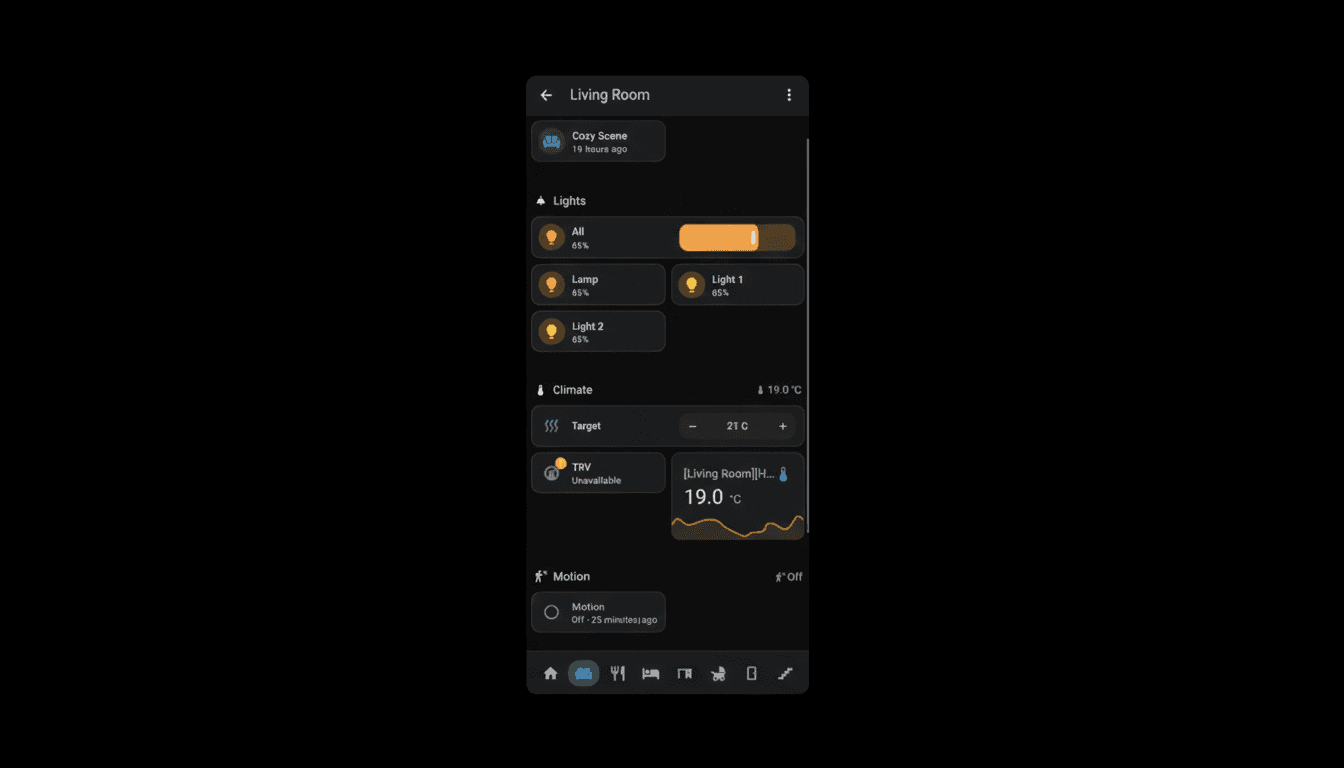
The new dashboard in action. One responsive layout, all devices.What Actually Got Done
Floors created: 4 (Ground, First, Attic, Outside) - HA only had 1 before Area consolidation: Mergedutility_room and laundry_room (same physical room, different names for some reason)
Device trackers cleaned: Found 24 stale trackers, disabled 8
Blueprints audited: 17 total. 10 active, 7 removed.
Helper entities created:
counter.unread_notifications(0-99)input_text.notification_slot_1through_10group.all_lights_tracked(45 light entities)
script.dashboard_all_offscript.dashboard_night_modescript.dashboard_away_mode
Tools That Actually Helped
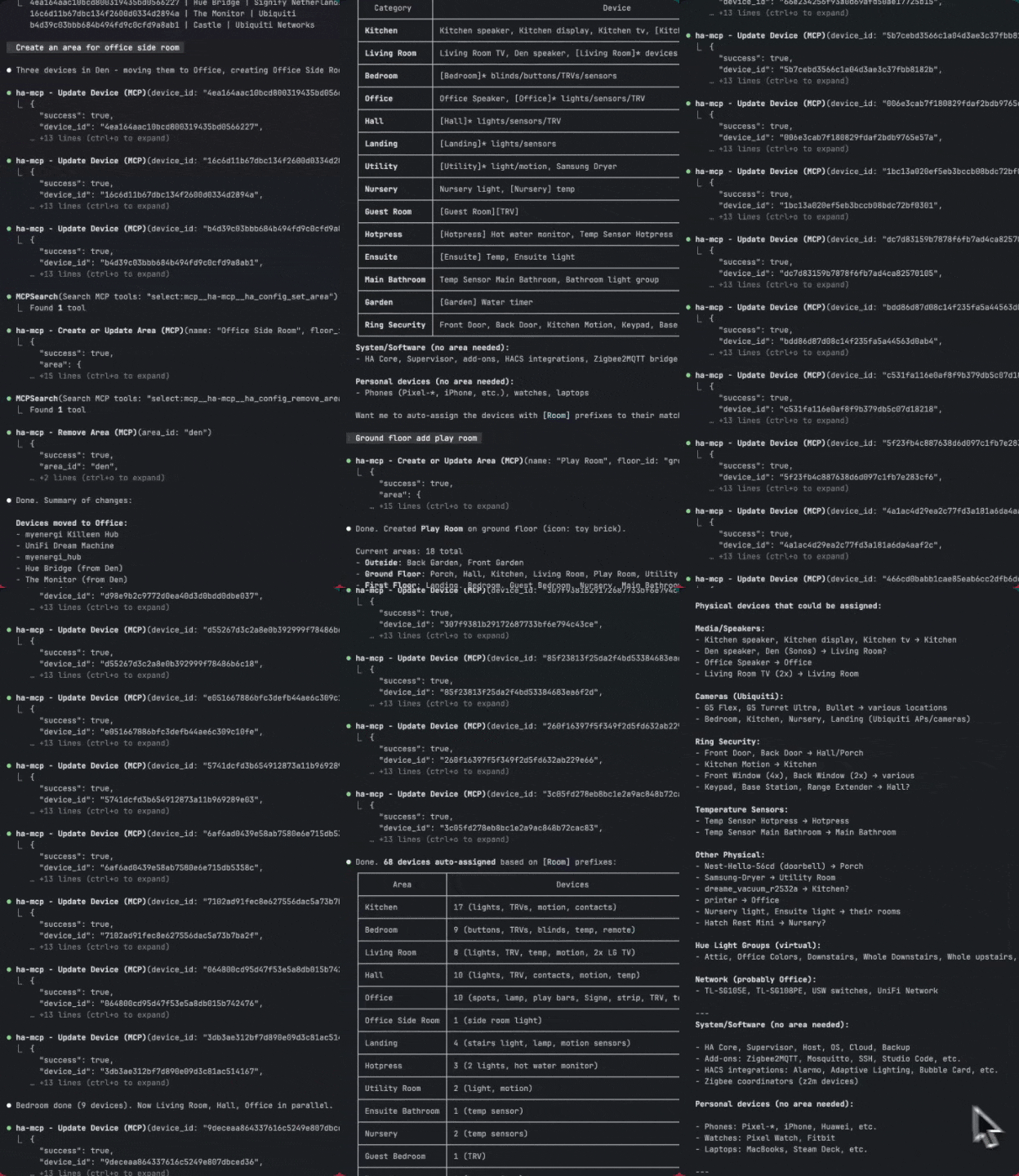
ha-mcp (82 tools) - I'm not gonna lie to you, this has been the absolute champion of the whole process. Genuinely game-changing.The stuff it enabled would have taken me ages to do manually. Like, going through every single device and figuring out what room and area it should be in. Updating friendly names to be consistent. That sort of stuff.
The conversation goes like: "Is the dishwasher sensor returning anything?" And Claude actually checks, right there, instead of me tabbing over to HA. It's a bit magic.
ha-mcp In Action
Me: "Show me all automations that haven't triggered in the last 6 months" Claude runs:ha_search_entities with domain_filter="automation", then cross-references with core.restore_state.
Me: "What areas don't have a floor assigned?"
Claude runs: ha_config_list_areas and filters for floor_id: null.
Me: "Assign all ground floor rooms to the ground floor"
Claude runs: Multiple ha_config_set_area calls.
The key insight: I describe what I want in plain English, and ha-mcp translates that to API calls. Let's find out what breaks, right?
Gathering Automation Traces
One thing that's been savage for debugging is gathering automation traces. There are two main approaches:
1. Via ha-mcp ToolsThe ha-mcp server has a dedicated tool: ha_get_automation_traces. Claude can just call this directly when you're debugging. Dead simple.
Traces are stored in ha-config/.storage/trace.saved_traces (mine is ~7MB). Quick SSH one-liner:
# List all saved trace keys
ssh ha "cat /config/.storage/trace.saved_traces | jq '.data | keys'"| Method | Best For |
|---|---|
ha_get_automation_traces | Specific automation debugging, recent runs |
trace.saved_traces file | Bulk analysis, historical data, grep searches |
core.restore_state | Quick check of last_triggered timestamps |
navbar-card - 744 GitHub stars, 19k HACS downloads:
- type: custom:navbar-card
  routes:
    - url: /dashboard-test/sections-test
      icon: mdi:home
      icon_active: mdi:home-variant
    - url: /dashboard-test/heat
      icon: mdi:radiator
      icon_active: mdi:radiator
What I Actually Learned
Document before you build. The PRD/TDD approach felt like overkill for a hobby project. It wasn't. Past me was wrong.
Stay close to mainstream HA. Sections view, subviews, native cards - the HA team is doing class work on responsive design. Don't fight it.
ha-mcp changes the game. The ability to query state, manage devices, and verify changes without leaving your workflow is massive. Like, properly massive.
subview: true is magic. One YAML property gives you a proper detail view with back button and sidebar hiding. That's it.
One responsive dashboard beats three device-specific ones. Sections view with max_columns just works. Don't overthink it like I did.
What's Next
Three things are staring at me from the backlog:
The Automations Monster. That 636-line kitchen blinds automation is still sitting there, judging me. It handles sunrise offsets, weather conditions, manual overrides, seasonal adjustments, and probably my horoscope at this point. It needs to be split into smaller, single-purpose automations that I can actually debug when they break. And once the blinds are sorted, the rest of the automation cleanup follows - there are still duplicates to remove and dead triggers to prune.
Custom Theming. The dashboard works but let's be honest - it's not winning any design awards. Default HA styling is functional but a bit clinical. I want something that actually looks like it belongs in a home, not a server room. Card backgrounds, accent colors, typography - the whole visual layer needs attention.
Scenes. I've been avoiding this one. My scene setup is a mess - some created through the Hue app years ago, some through the HA UI, some in YAML, some in the .storage files. Half of them reference entities that don't exist anymore. A few have names like "Scene 1" because past me apparently ran out of creativity. This is gonna be tedious, but it's blocking any proper "tap to set the mood" functionality in the dashboard.
The good news is ha-mcp makes all of this more approachable than it used to be. The bad news is I still have to actually do it.
If you've got a Home Assistant setup with similar tech debt, or you're curious about any of these topics for Part 3, let me know. I'm genuinely interested in what would be most useful - the automation refactoring patterns, the theming deep dive, or the scene archaeology expedition.
This post was written after actually implementing the system described in Part 1. Things mentioned:
- navbar-card - persistent bottom navigation
- ha-mcp - MCP server for Claude Code
- Native HA subviews with
subview: true - Sections view with
max_columnsfor responsive layouts - YAML anchors + packages for DRY automation patterns
→ Continue reading: Part 3: Finding Automation Candidates in Your Home Assistant Logbook
Explore the Full Code
Star the repo to stay updated
Let's Connect
Follow for more smart home content
Follow on Twitter/X
@danmalone_mawla
Tags
home-assistant
ai
smart-home
automation
yaml
ha-mcp
dashboard

Related Articles
Continue reading similar content

Ralph Wiggum: Orchestrating AI Agents to Migrate a 3-Year-Old Codebase
I wrote four bash scripts to orchestrate Claude Code agents in parallel. Three days later: 236 files changed, 271 commits, and a fully migrated codebase.
15 min read

6 Releases in 3 Days: What Happens When You Ship (Part 5)
Part 5 of my Home Assistant AI journey: I promised to build auto-create automations. Instead, I shipped 6 releases in 3 days - none of which were the feature I said I'd build.
7 min read
Turning a Script Into a Home Assistant Integration (Part 4)
Part 4 of my Home Assistant AI journey: How I turned the automation-finder Python script into a proper HA integration with config flow, sensors, and services.
10 min read